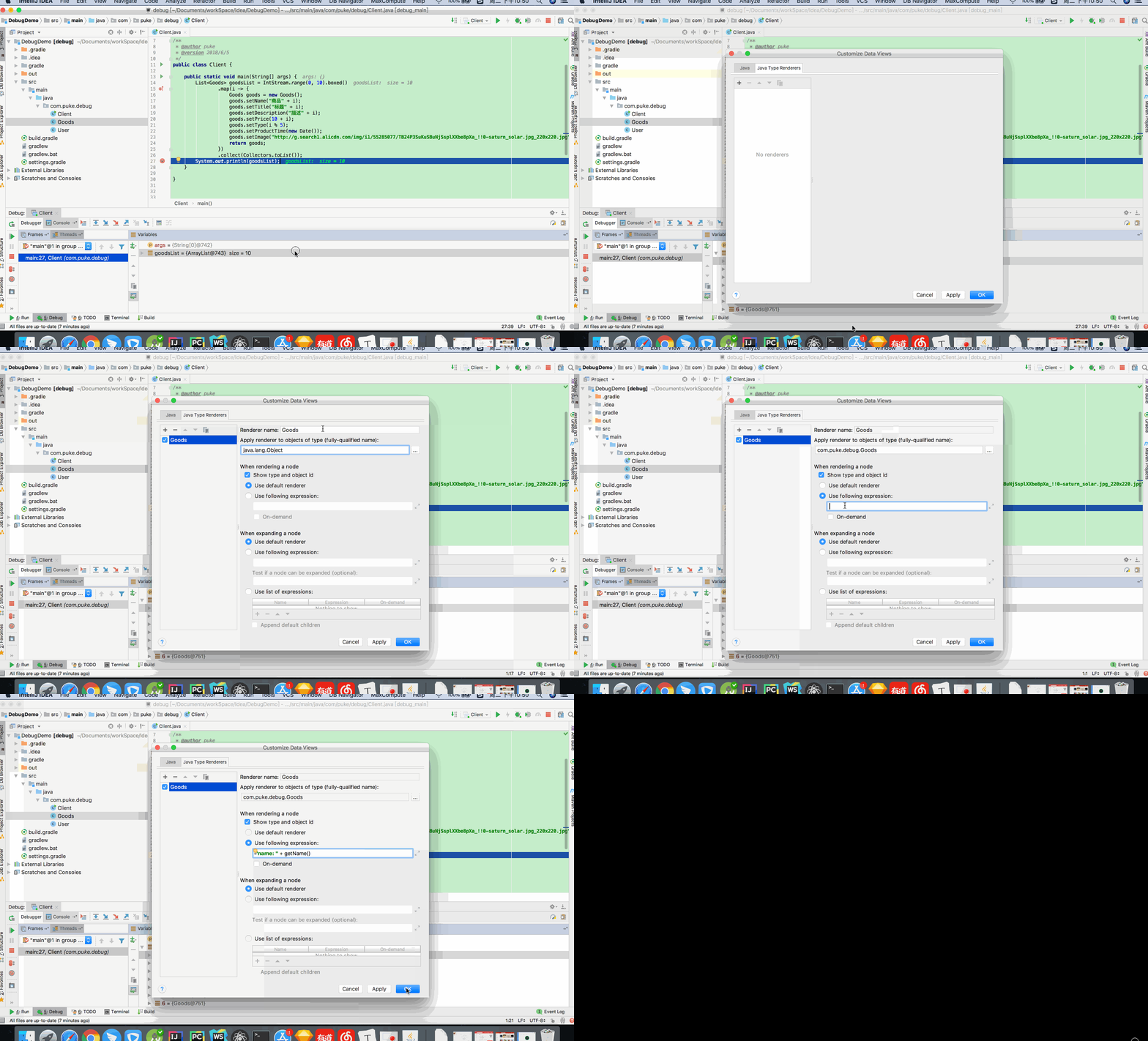
填入以下代码可以查看各种类的数据
1 | if (((Object) this) instanceof String |
填入以下代码可以查看各种类的数据
1 | if (((Object) this) instanceof String |
1
2
3
4
5
6
7
8
9
10
11
12
13
14
15
16
17
18
19
20
21
22
23
24
25
26
27
28
29
30
31
32
33
34
35
36
37
38
39
40
41
42
43
44
45
46
47
48//添加远程仓库
git remote add origin git@github.com:xx.git
//同步远程仓库内容
git remote update
// 删除远端分支
git push origin --delete <branchName>
// 添加 Tag
git tag v1.0
// 推送本地 Tag 到远端
git push origin <tagname>
// 删除远端 Tag
git push origin --delete tag <tagname>
// 暂存文件
git stash
// 拿出暂存文件
git stash pop
// 合并单次提交
git cherry-pick 62ecb3
// 提交代码
// 远端没有 local_branch
git push origin local_branch:remote_branch
//本地有 remote_branch,远端也会相应的创建 remote_branch 分支
git push -u origin/remote_branch
// 拉取代码
git pull origin local_branch:remote_branch
// 删除本地有远端没有的分支
git fetch -p
// 删除所有本地分支
git branch | grep -v "master" | xargs git branch -D
// 查看文件 log
git log <fileName>
// 恢复一个文件到历史状态
git reset <commit-id> <fileName>
git checkout <commit-id> -- <fileName> <fileName>
// 重新编辑当前提交
git commit --amend
1 | 对于已经存在但还没有推送到远程的提交记录,我们可以使用 rebase -i 去编辑他们。假设我们想修改最近三次提交,可以输入 gri head~3,它是完整写法是: |
1 | // 安装 |
1 | brew update //更新 Homebrew |